











12 best API management tools and platforms in 2026 - compared
Discover the top 12 API management tools for 2026 and beyond. Optimize your API lifecycle, enhance security, and accelerate your business growth

Most teams don't fail at building APIs. They fail at managing them.
APIs multiply across teams, gateways, and clouds. Documentation goes stale. Nobody knows what's already been built. Security gaps don't show up until something breaks in production or worse, until an audit flags it. By that point, the cost isn't just technical. It's time, money, and trust.
The right API management tool closes all of that down. The wrong one locks you into a platform that adds overhead instead of removing it.
This guide gives you a direct breakdown of the top API management tools in 2026 what each one actually does well, where each one falls short, and a decision framework to match the right tool to your actual situation.
API management tools cover the full API lifecycle: design, publishing, security, monitoring, governance, and monetisation.
The most common gap in the market is multi-gateway management most platforms are built for a single gateway and don't scale across real-world enterprise infrastructure.
Agentic AI readiness (MCP support) is now a genuine technical differentiator, not a roadmap promise.
Choosing the wrong tool means paying for complexity you don't need, or outgrowing your platform too fast.
DigitalAPI is built for teams managing APIs across multiple gateways and clouds from one unified control plane.
Ready to simplify API management? Book your demo today!
What are API management tools?
API management tools are software platforms that handle the complete API lifecycle from design and deployment to security, monitoring, governance, and monetisation. They give organisations centralised control and visibility over their entire API estate, regardless of which gateways those APIs run on or where they're hosted.
Three Ways to Think About API Management Tools:
Simply: A control tower for all your APIs. You see everything in one place, enforce policies consistently, and make it easy for developers to find and use what already exists.
Technically: A management layer that sits above your API gateways and backends. It unifies catalogue management, policy enforcement, analytics, developer portal access, and lifecycle controls — often across multiple gateways and cloud environments — without replacing the underlying infrastructure.
From a business perspective: The infrastructure that turns your APIs from internal plumbing into discoverable, governable, monetisable products. Without it, APIs are hard to reuse, impossible to govern at scale, and difficult to turn into revenue.
Why API Management Matters in 2026
The reason API management is a serious decision right now comes down to one structural problem: API sprawl.
When a team starts small, managing a handful of APIs on a single gateway is entirely manageable. By the time that same organisation has five teams, three cloud environments, two acquired companies, and a mix of AWS, Azure, and an on-premises gateway, the management problem becomes categorically different.
Most traditional API management tools weren't built for this reality. They were designed for single-gateway, single-cloud setups. They assume you'll run everything through their proprietary gateway. They don't have a strong answer for the organisation that already has APIs spread across Kong, Apigee, and AWS and needs unified visibility without ripping out existing infrastructure.
A second, more recent pressure is agentic AI. Teams building AI agents in 2026 need their APIs exposed as MCP endpoints machine-consumable, contextually described, and secured for agent access. Most legacy platforms haven't addressed this at all, which creates a capability gap that won't stay invisible for long.
The right tool gives you multi-gateway control today and AI readiness for what comes next.
Core Features Every API Management Tool Should Have
Not every team needs every feature. But before you compare tools, it's worth knowing what a full-featured API management platform should include so you can judge which platforms are genuinely comprehensive and which are covering structural gaps with marketing language.
1. API Catalogue and Discovery
Your platform needs to build a searchable, centralised inventory of every API across every gateway and cloud you operate. Discovery isn't optional when developers can't find existing APIs, they rebuild them, which drives up cost and introduces duplication at scale.
DigitalAPI's API discovery uses AI-powered similarity matching to detect duplicate APIs and surface the right endpoint based on intent, not just keyword matching.
2. API Lifecycle Management
A good tool manages APIs from initial design through to deprecation. That means version management, changelog tracking, retirement workflows, and subscription management so consumers get notified before an API changes or breaks.
3. Security and Governance
Security has to be built in, not added after the fact. Look for automated linting, OWASP compliance checks, policy enforcement, and RBAC that can be applied at the API, team, or gateway level.
API governance at scale means policies are enforced proactively catching issues before they reach production, not flagging them after something goes wrong.
4. Analytics and Observability
You need real-time data on traffic, latency, error rates, and usage patterns. The platforms that go beyond basic monitoring give you business-level analytics: which APIs are being consumed, by whom, and at what volume.
Granular API analytics translate raw performance data into business insight helping teams identify underused APIs, flag performance regressions early, and justify API investment to stakeholders.
5. Developer Portal
The developer portal is where external developers, partners, and internal teams discover, subscribe to, and test APIs. A good portal is fully self-service: no tickets, no manual documentation requests, no waiting for access. A great portal is white-labelled and branded to your organisation.
6. Multi-Gateway Support
This is where most platforms show their real limitations. If your organisation runs APIs across more than one gateway, you need a management layer that aggregates and governs all of them without forcing you to migrate everything onto a proprietary gateway.
The API Gateway Manager from DigitalAPI connects APIs from multiple gateways and clouds into a single unified catalogue with consistent governance applied across all of them.
7. Monetisation
If you're exposing APIs externally to partners, developers, or customers you need billing, subscription tiers, usage tracking, and access controls built into the platform. Many tools require separate third-party integrations just to handle basic API monetisation. That's engineering overhead you shouldn't need to carry.
.png)
Top API Management Tools in 2026
Here are the platforms teams are actually using in 2026 what each one does well, and where each one falls short.
1. DigitalAPI - API management platform
DigitalAPI is an enterprise-ready API management platform that unifies how companies build, secure, publish, and govern APIs across gateways and clouds. It brings all APIs and events into a centralized, searchable catalog with AI-powered discovery and governance. The platform supports consistent policy enforcement, robust access control, deep analytics, and a seamless developer experience.
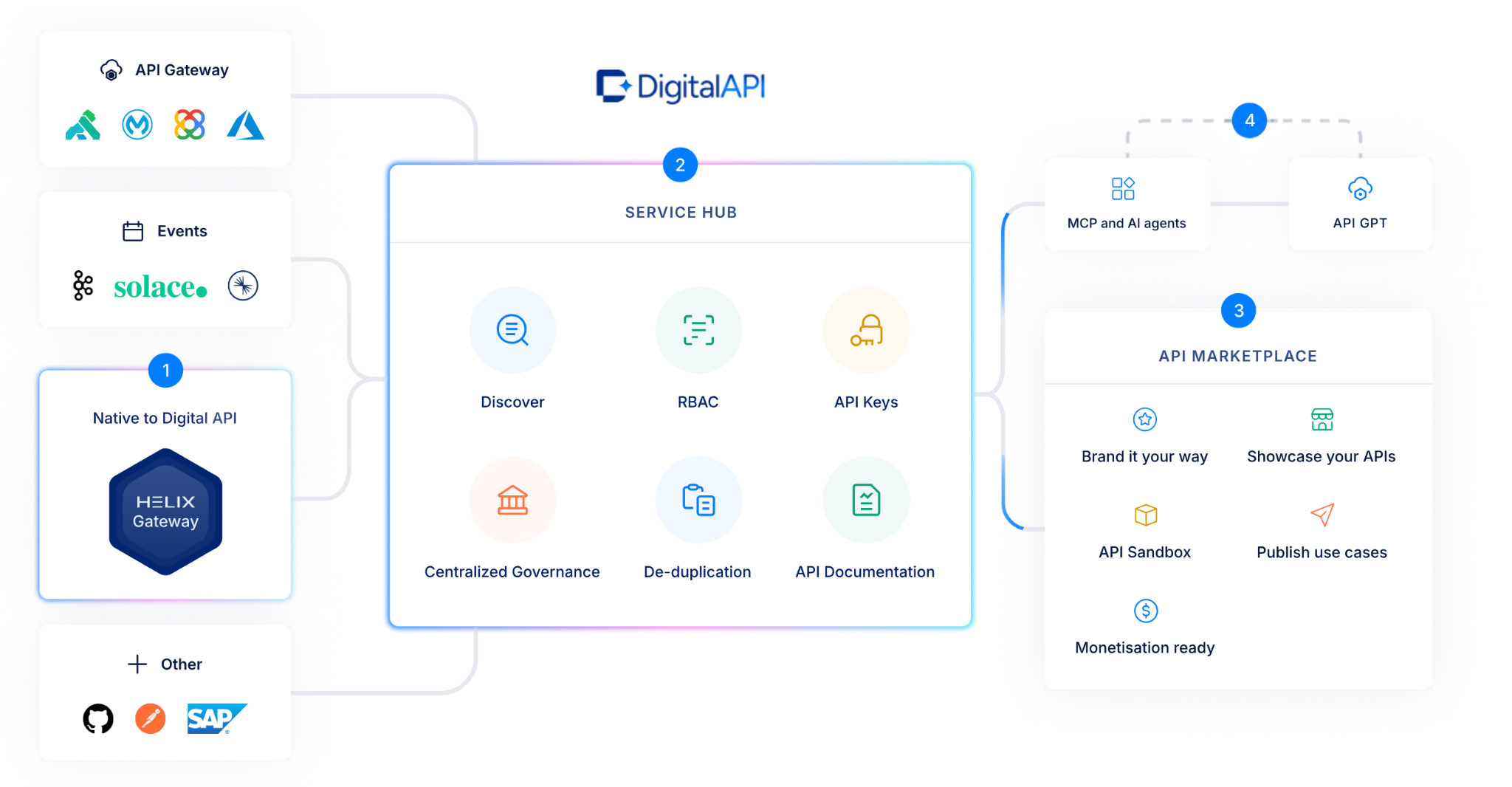
DigitalAPI includes an API marketplace that helps teams drive adoption and grow revenue by making APIs easy to discover and consume. Its unified platform reduces complexity, improves visibility, and helps organizations scale API ecosystems without vendor lock-in or fragmented tools.
It delivers full API lifecycle support, including design, deployment, documentation automation, sandbox testing, and monetization management. The platform also offers AI-ready features that help teams automate discovery, enhance documentation quality, and enable intelligent API strategies.
Additionally, DigitalAPI’s Arelio API Gateway option allows organizations to quickly deploy lightweight, scalable API gateways with built-in support for marketplace monetization and AI-native capabilities.
Key Features
- Unified API management to manage, monitor, and govern APIs across multiple gateways and cloud environments.
- Centralized, AI-enabled API catalog that makes it easy to discover APIs and prevent API sprawl.
- White-labelled API marketplace for publishing APIs to internal and external consumers with built-in monetization and subscription management.
- Developer portal with self-serve onboarding, testing, and documentation.
- Policy control, role-based access governance, and unified security across distributed APIs.
- In-depth analytics that provide insight into API usage, performance, and business metrics.
Pricing
DigitalAPI offers customised pricing that aligns with your organisation’s unique API estate and requirements rather than predefined plans. Request a custom quote
Pros
- Centralized control and governance across gateways and clouds make API operations faster and easier to manage.
- Built-in marketplace and monetization tools reduce the need for external billing or analytics solutions.
- AI-powered cataloging and discovery help teams find and use APIs efficiently.
- A flexible platform can support a range of API types and deployment models.
Limitations
- Advanced capabilities may require some onboarding and configuration time before teams fully leverage the platform
- Highly customizable workflows can need initial alignment across teams, though this enables stronger long-term governance and control
2. Postman - Developer-Friendly API Management Tool

Postman is one of the most popular API management tools and platforms among enterprises and SMBs alike for testing and working with APIs. With Postman, developers send HTTP requests like GET, POST, PUT, and DELETE to API endpoints. It also makes it easy to set headers, parameters, and body data.
Postman's collaboration features enable teams to share API collections and environments. Additionally, the platform features mock servers to test API responses. Postman offers a dynamic solution for anyone testing, managing, or documenting APIs.
[ts-omit]Key Features
- API Client
- HTTP Request Methods Support
- API Collaboration Workspace
- Mock Servers
- API Monitoring and Testing
Pricing
- Free plan: $0
- Basic plan: $14/user/month (billed annually) or $19/user/month (billed monthly)
- Professional plan: $29/user/month (billed annually) or $39/user/month (billed monthly)
- Enterprise plan: $49/user/month (billed annually)
Pros
- Excellent collaboration tools for API teams
- Supports automated testing and monitoring
- Mock servers streamline early-stage API testing
Limitations
- The user interface can feel less intuitive to new users
- Feature-rich platforms may overwhelm beginners
- The free plan limits Collection Runner to 25 runs
3. Azure - Secure Cloud API Product
Azure API management is a centralised platform for managing, securing, and monitoring APIs. It integrates with Microsoft’s tools seamlessly. It provides an API gateway to control traffic and enforces security policies. Built-in access control and authentication features secure API endpoints.
The developer portal supports onboarding and API documentation. Azure’s monitoring dashboards help track API usage and performance. It supports hybrid deployments which means your team can manage APIs across cloud and on-premises systems.
Key features
- Azure services integration
- API Gateway
- Built-in security and access control
- Developer portal
- Monitoring and analytics dashboards
- Hybrid deployment support
Pricing
- Developer tier: $48.36/month
- Basic tier: $150.01/month
- Standard tier: $700/month
- Premium tier: $2,800/month
Pros
- Seamless integration with Azure services
- Strong security and access control
- Scalable for large API ecosystems
Limitations
- Complex for teams unfamiliar with Azure
- Can become expensive as traffic grows
- Less flexible outside Azure environments
4. MuleSoft - Unified API Management Platform
Secure Cloud API Product
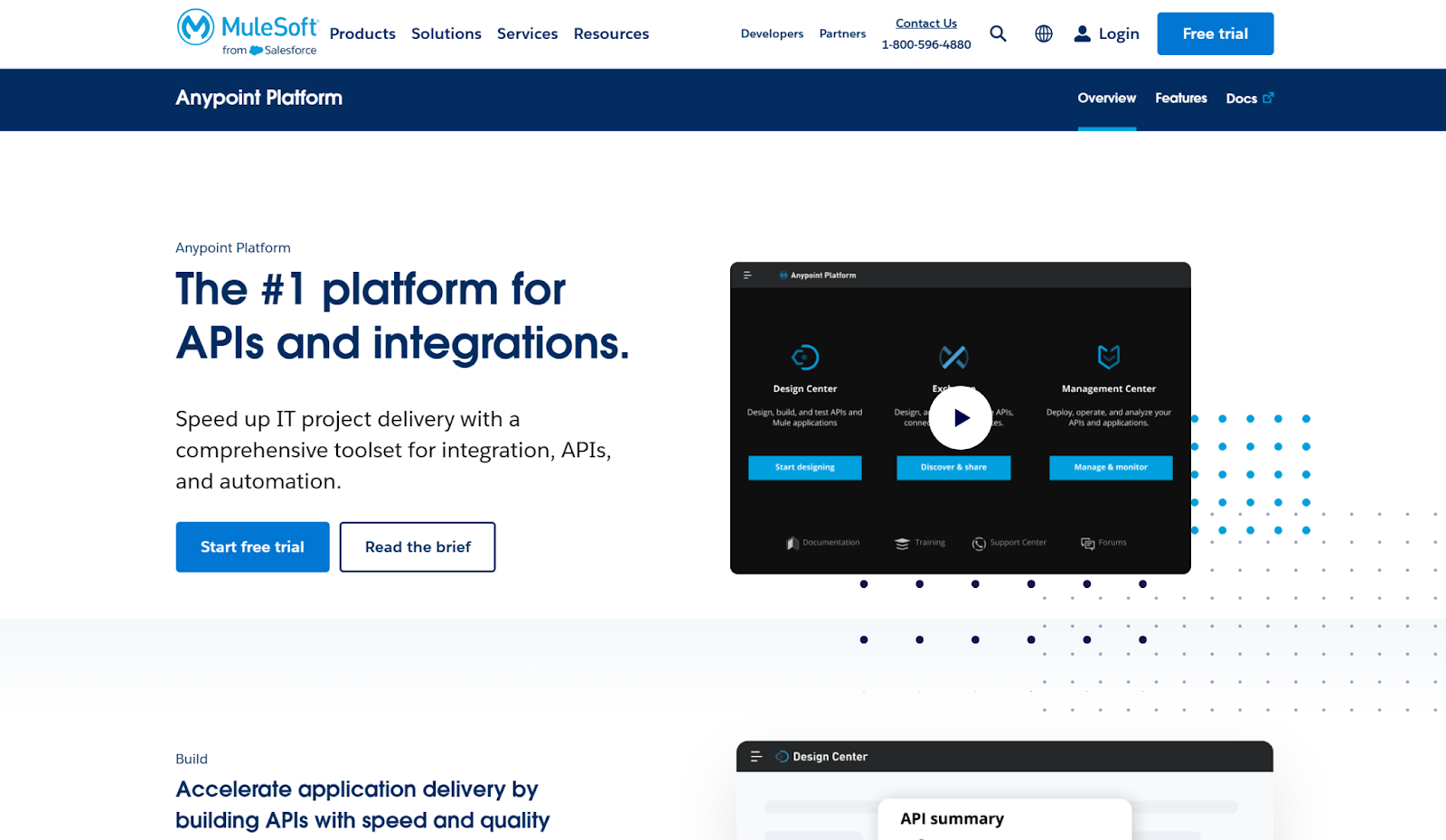
MuleSoft's Anypoint Platform offers a single solution for designing, managing, and securing APIs. It comes with an API gateway for traffic management, security enforcement, and rate limiting. Developers can visually design APIs with the API designer and deploy them to the Mule Runtime Engine.
MuleSoft also has built-in analytics to track API usage, performance, and compliance. Its platform allows for hybrid and multi-cloud architecture. This makes MuleSoft a good pick for companies handling intricate integrations between systems.
Key Features
- Anypoint platform
- API gateway
- API designer
- Mule runtime engine
- API analytics
Pricing
- MuleSoft offers custom enterprise pricing tailored to deployment scale and feature needs.
Pros
- Comprehensive API lifecycle management
- Strong integration capabilities across platforms
- Built-in analytics and monitoring tools
Limitations
- Expensive compared to some competitors
- Steep learning curve for new users
- Requires Mule Runtime for full functionality
5. Apigee - Enterprise API Management Solution
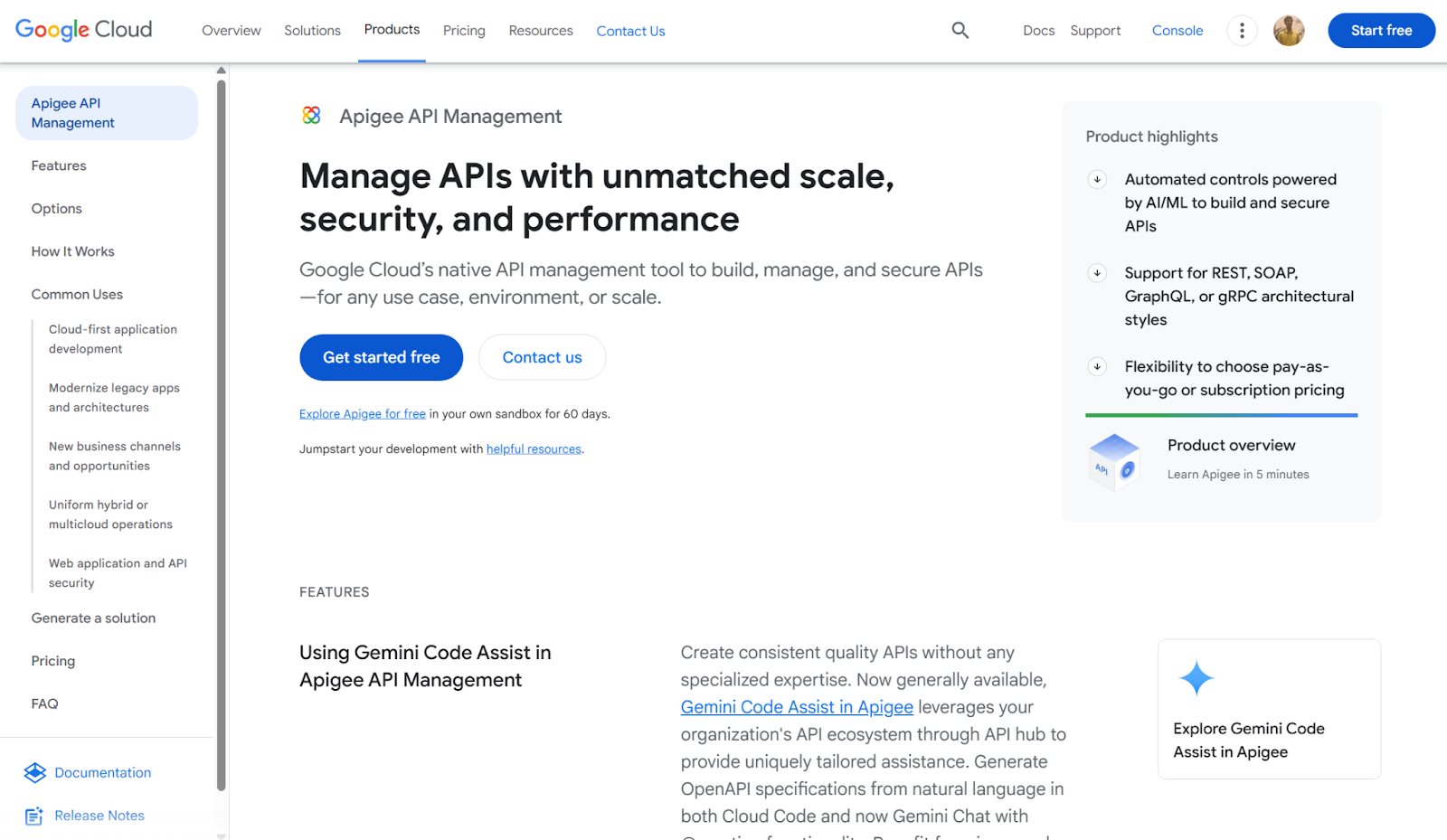
Apigee, by Google Cloud, is a full-featured API management platform for building, securing, and scaling APIs. It provides an API gateway and proxy to control traffic, enforce policies, and protect APIs. Apigee supports OAuth and JWT authentication for securing access.
Built-in analytics give visibility into API usage, latency, and error rates. The platform also enables monetization and developer engagement through customizable portals. Apigee integrates easily with Google Cloud services but can work across hybrid and multi-cloud environments.
Key Features
- API gateway
- API proxy
- Traffic management
- OAuth and JWT support
- API analytics
Pricing
- Apigee offers pay-as-you-go pricing.
Pros
- Robust traffic management and security features
- Strong analytics and monitoring tools
- Monetization and developer portal support
Limitations
- Higher starting price than some competitors
- Complex configuration for advanced features
- Limited flexibility outside the Google Cloud ecosystem
6. Boomi
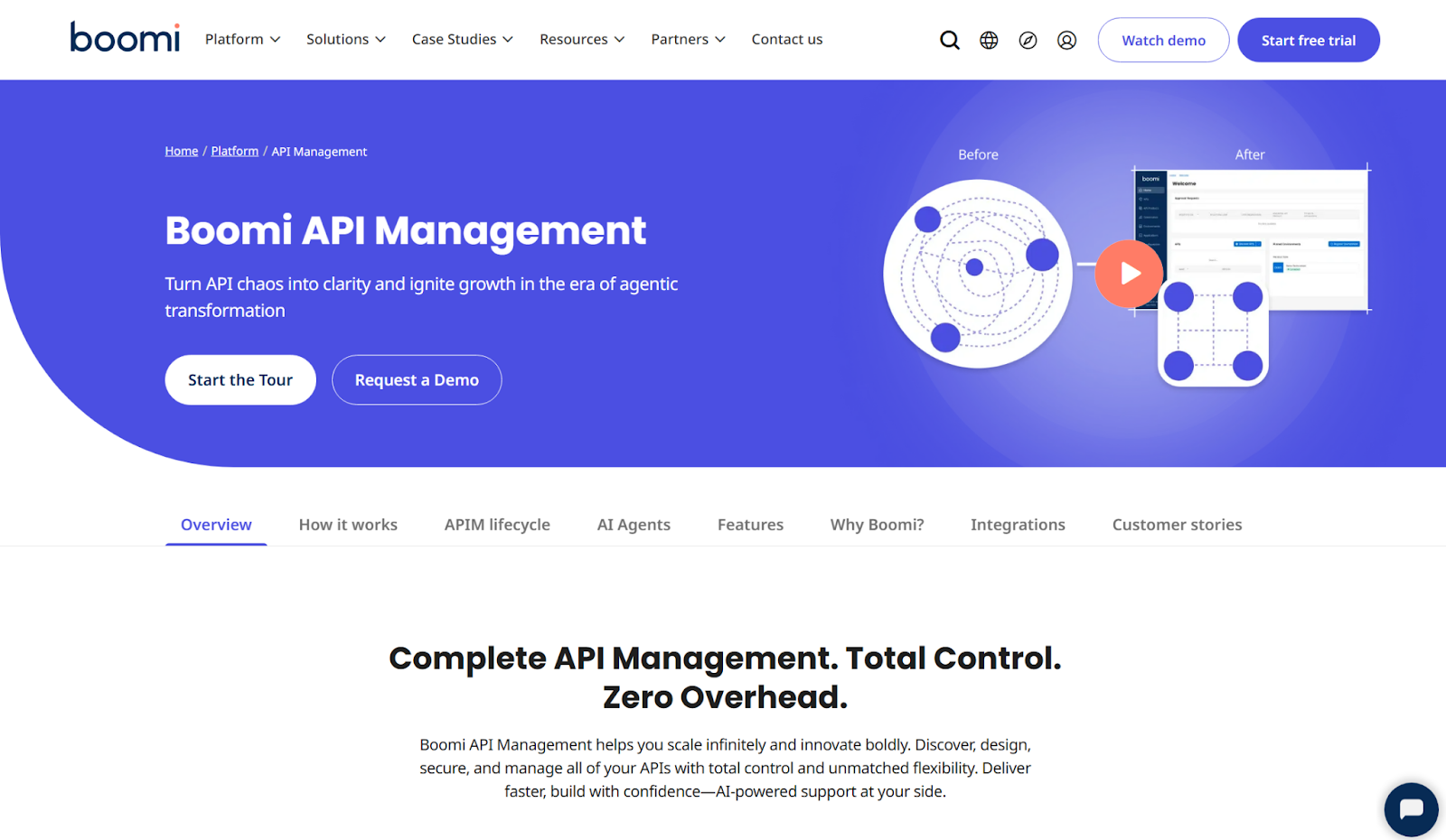
Boomi is an iPaaS API management platform that unifies your cloud and on-premises apps, services, and data sources. It offers a drag-and-drop integration designer and a large library of pre-built connectors for SaaS apps, databases, and legacy systems.
Moreover, Boomi supports data synchronization, API management, ETL, and EDI. A single runtime engine runs integrations anywhere while dashboards track performance. Therefore, Boomi is a good option for you, if you need quick, low-code integrations between disparate systems.
Key Features
- Visual integration designer
- Pre-built connectors
- API management
- Single runtime engine
- Monitoring dashboard
Pricing
- Free trial
- Pay-as-you-go: Starting at $99
- Subscription plans: Custom pricing
Pros
- Visual interface accelerates integration development
- Extensive connector library reduces custom coding
- Supports complex integration patterns at scale
Limitations
- Steep learning curve for advanced use cases
- Vendor lock-in with proprietary components

7. SwaggerHub
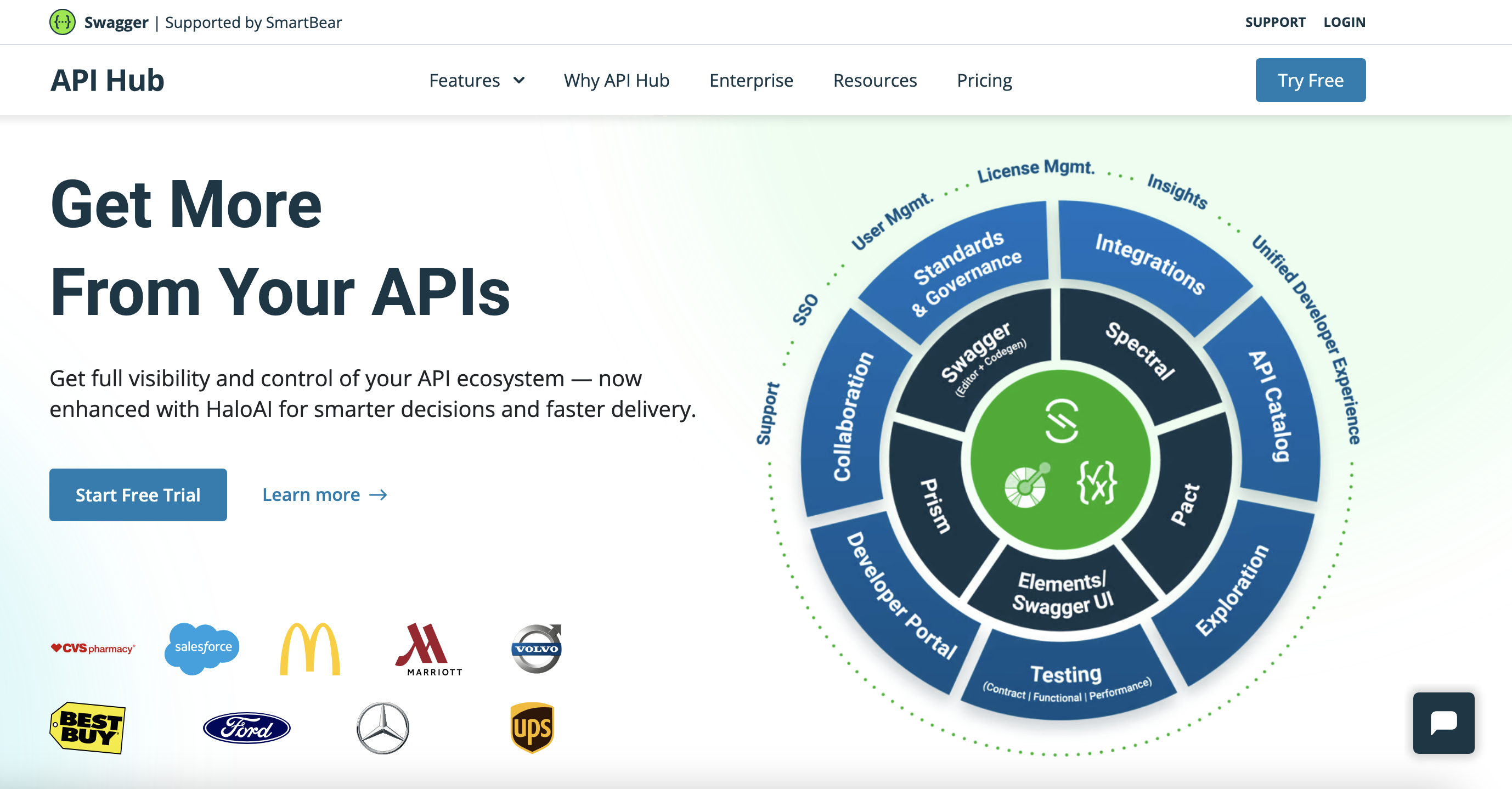
SwaggerHub gives developers a shared space to design, document, and manage APIs with OpenAPI standards. It streamlines API definitions by providing real-time editing, version control, and code auto-generation. By integrating directly with GitHub and Bitbucket, it fits easily into existing development workflows.
SwaggerHub focuses on design and documentation. It makes the tool ideal for teams who prioritize clear API structure and collaboration before moving to implementation or testing.
Key Features
- OpenAPI and Swagger 2.0 support
- API documentation
- Version control
- Code auto-generation
- GitHub and Bitbucket integration
Pricing
- Free Plan: $0
- Individual plan: Starting at $22.80/month (billed annually)
- Team plan: Starting at $34.44/month (billed annually)
- Enterprise plan: Starting at $58.80/month
- Enterprise plus plan: Custom pricing
Pros
- Makes API design and documentation easier for teams
- Supports version control across API definitions
- Auto-generated client SDKs to save time
- Integrates with popular developer tools like GitHub
Limitations
- Lacks built-in testing features
- Limited environment configuration options
- Supports only one example per endpoint
8. IBM
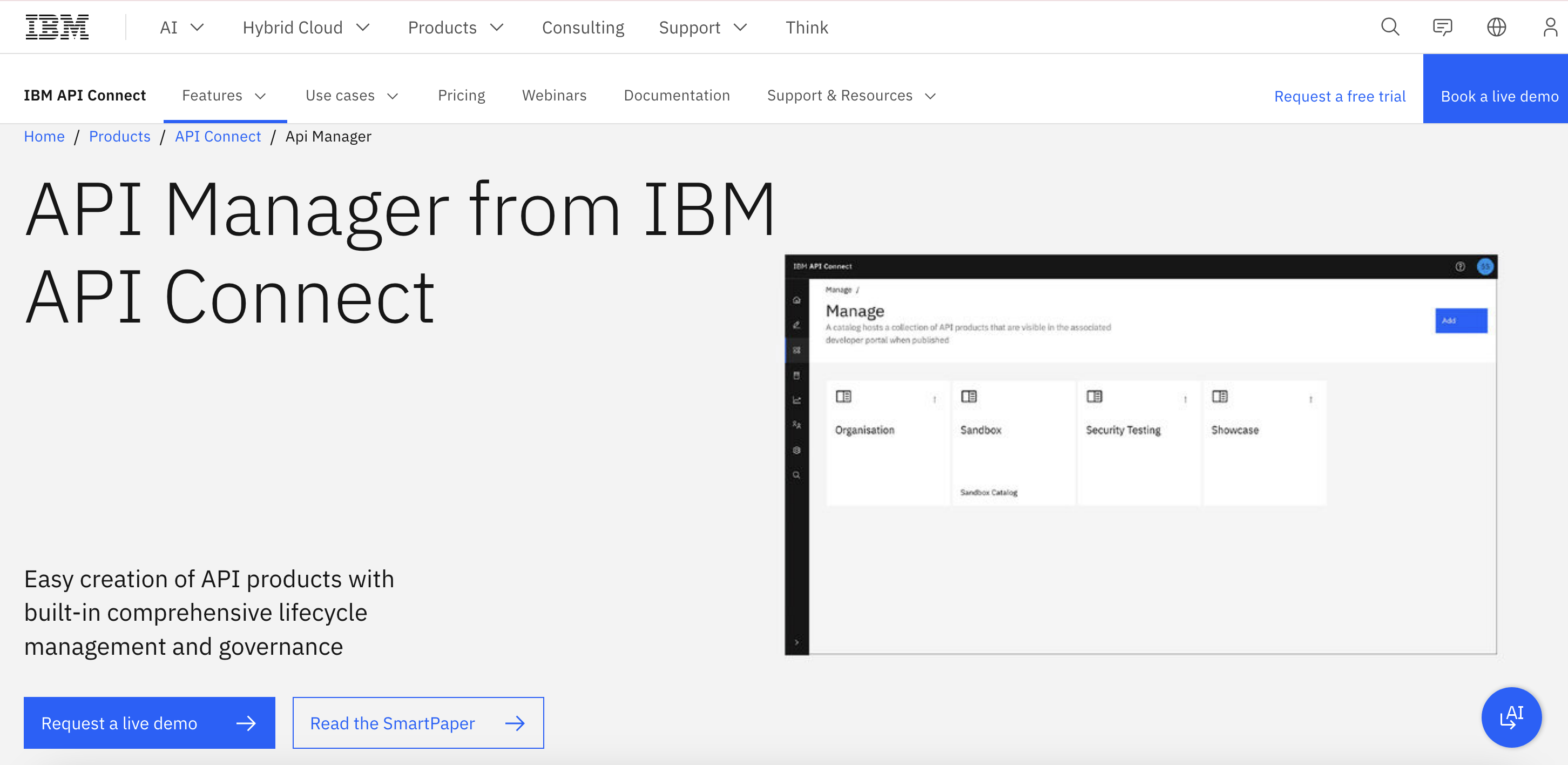
IBM API Connect is a comprehensive platform for managing, securing, and scaling APIs. It supports rapid API development using existing services or OpenAPI specifications. The Microgateway enforces security, rate limits, and analytics at the edge.
Built on Kubernetes, it enables scalable, resilient deployments across cloud environments. IBM API Connect provides authentication, authorization, and token support to protect APIs. Monitoring dashboards help track usage, performance, and API health. The platform suits enterprises seeking centralized API governance and control.
Key Features
- Rapid API development
- Full lifecycle API management
- Microgateway
- Kubernetes cloud-native deployment
- OAuth and JWT support
- API analytics dashboard
Pricing
- Standard tier (SaaS): Starting at $82/month
- Premium tier (SaaS): Starting at $2,280/month
- Reserved instance (SaaS): Starting at $6,504/month
- Software: Custom pricing
Pros
- Strong built-in security features
- Scalable architecture for enterprise workloads
- Integrated monitoring and analytics
Limitations
- Proprietary platform with IBM license
- Vendor lock-in limits migration flexibility
- Complex configuration and learning curve
9. WSO2
WSO2 is an open-source API management platform for the entire API lifecycle. It provides REST, SOAP, and GraphQL formats and flexibility in deployment over cloud, on-premises, or hybrid environments. Its developer portal provides the facility to publish, document, and test APIs.
Security is inherent with OAuth2, primary authentication, and rate limiting. WSO2 is a viable option for organizations that require control, scalability, and customization within an open-source environment.
Key features
- Full lifecycle API management
- REST, SOAP, and GraphQL support
- On-premises, Cloud, hybrid deployment
- Developer portal
- OAuth2, rate limiting, key authentication
Pricing
- Trial plan: Free for 2 weeks
- Micro plan (billed monthly): $550 per month
- Micro plan (billed annually): $500 per month (billed annually)
- Standard plan (billed annually): $2,000 per month (billed annually)
- Custom plan (billed annually): Custom pricing
Pros
- Supports multiple API formats and deployment models
- Developer portal improves API sharing and adoption
- Strong built-in security features
- Open-source flexibility for customization
Limitations
- Steep learning curve for new teams
- Complex configuration for custom deployments
- Advanced customization may require technical expertise
10. Amazon API gateway - Scalable API Management Product
Amazon API Gateway is a fully managed service that lets you create, publish, keep up-to-date, and secure APIs. It works with REST and WebSocket APIs and includes tools for authorization, throttling, and rate limiting.
Amazon API Gateway connects well with other AWS services, which makes it a valuable choice for organisations already using AWS. It allows developers to scale their applications. Developers can also track how APIs are performing through built-in monitoring tools.
Key Features
- API Gateway
- REST and WebSocket support
- Integrated authorization
- Throttling and rate limiting
- API monitoring
Pricing
For HTTP APIs:
- First 300 million requests/month: $1.00 per million
- Over 300 million requests/month: $0.90 per million
For REST APIs:
- First 333 million: $3.50
- Next 667 million: $2.80
- Next 19 billion: $2.38
- Over 20 billion: $1.51
For WebSocket APIs:
- $1.00 for the first billion messages
- $0.80 for over 1 billion
Pros
- Fully managed with automatic scaling
- Integrates easily with the AWS ecosystem
- Supports REST and WebSocket APIs
- Built-in traffic management features
Limitations
- Pricing can increase with high API traffic
- Best suited for teams using AWS services
- Limited flexibility outside the AWS environment
11. Kong - Open-Source API Management Tool
Kong is an open-source API management platform designed for high-performance, distributed environments. It functions as an API gateway while supporting service mesh deployments for microservices architectures. Its plugin-based architecture lets teams extend functionality with authentication, monitoring, and traffic control plugins.
Kong works across cloud, on-premises, and hybrid environments, offering deployment flexibility. Built-in OAuth2 and key authentication secure APIs, while analytics provide insights into usage and performance metrics.
Key Features
- API gateway
- Plugin architecture
- Service mesh support
- OAuth2 and key authentication
- API analytics
Pricing
Kong offers a free open-source version, with enterprise pricing for advanced features.
Pros
- Scalable API gateway for distributed systems
- Flexible plugin architecture for custom functionality
- Works across multiple deployment environments
Limitations
- Requires expertise to set up and customize
- Some advanced features require a paid enterprise plan
- Configuration can grow complex at scale
12. Workato
Workato blends integration and API management in a low-code platform built for both business and IT users. It offers pre-built connectors to popular applications, helping teams automate workflows and connect systems faster.
Beyond integrations, Workato includes tools to design, publish, and monitor APIs, allowing API management as part of automation strategies. While it simplifies integration development, advanced use cases may still require technical expertise for customization and troubleshooting.
Key Features
- Low-Code integration platform
- API management
- Workflow automation
- Pre-Built connectors
- Monitoring and analytics
Pricing
- Custom and pay-as-you-go pricing
Pros
- Combines integration and API management in one platform
- Pre-built connectors accelerate setup
- Low-code tools make it accessible for non-developers
- Limited flexibility for complex API needs
- Advanced features may need developer support
- Fewer options compared to dedicated API platforms
Head-to-Head Comparison Table
Choosing the right API management tools and platforms assists you in securing, monitoring, and scaling your API landscape. This list showcases the best 12 enterprise-ready API management tools trusted by companies in 2026.
Explore each platform to find the right solution for your API management needs:
| Tool / Platform | API Gateway Management | Developer Portal | Security Features | Pricing Model | Best For |
|---|---|---|---|---|---|
| DigitalAPI | Unified gateway control | Fully customizable | OAuth2.0, JWT, Rate limiting | Subscription / Enterprise | Enterprises needing unified control & LLM-ready APIs |
| Apigee (Google) | Robust gateway features | Built-in portal | Threat protection, OAuth2.0 | Tiered pricing | Large enterprises, banking/finance |
| Kong | High-performance, OSS & Enterprise | Via Konnect portal | Zero-trust, plugins, mTLS | Free (OSS) / Enterprise | Flexible deployments, DevOps teams |
| MuleSoft Anypoint | Integrated gateway | Anypoint Exchange | Advanced analytics, policies | Enterprise license | Enterprises with Salesforce ecosystem |
| Azure API Mgmt | Scalable gateway | Built-in portal | RBAC, OAuth2.0, monitoring | Pay-as-you-go | Cloud-first teams on Azure |
| WSO2 API Manager | Lightweight, open source | Built-in portal | Throttling, OAuth2.0 | Free / Enterprise | Cost-conscious teams, OSS enthusiasts |
| IBM API Connect | Comprehensive gateway | Customizable | Strong security & governance | Enterprise license | Large enterprises, regulated industries |
| Postman API Platform | Limited gateway (focuses on testing) | Public workspaces | Basic security tools | Free / Paid tiers | Testing, collaboration, early-stage teams |
| Tyk | Open-source & cloud options | Customizable portal | RBAC, analytics, rate limits | Free / Paid tiers | Mid-sized businesses, hybrid setups |
| AWS API Gateway | Fully managed gateway | Integrates with API Gateway Console | IAM, WAF, throttling | Pay-as-you-go | Cloud-native AWS workloads |
| Nginx Controller | API gateway capabilities | Requires add-ons | mTLS, JWT, rate limiting | License-based | High-performance, low-latency APIs |
| 3scale (Red Hat) | Enterprise-grade gateway | Developer portal | Authentication, analytics | Subscription | Enterprises using OpenShift or Red Hat stack |
How to Choose the Right API Management Platform
The decision comes down to three variables: your current API architecture, your team's stage, and your planned trajectory. Here's how to match the right tool to your actual situation.
1. You're a startup building your first APIs
You don't need the full weight of an enterprise platform. You need something fast and lightweight that your team can deploy and use without a dedicated platform engineering function.
Best fit: DigitalAPI's Arelio API Gateway was built for exactly this scenario. It's the lightest gateway in the stack no steep learning curve, full MCP support out of the box, and an in-built visual design studio. You can go live in hours rather than weeks, and grow into the full platform when your API estate demands it.
Avoid: MuleSoft, IBM API Connect, and Apigee. All three are significantly overbuilt for this stage and will cost time and money you don't need to spend.
2. You're an enterprise running APIs across multiple gateways or clouds
This is the hardest API management problem, and most platforms don't address it directly. If your organisation runs APIs across Kong, AWS API Gateway, Azure, and a legacy on-premises gateway simultaneously, you need a management layer that sits above all of them not one that forces migration onto a proprietary gateway.
Best fit: DigitalAPI. It's built specifically for this architecture. The API Management Platform connects all your existing gateways into a unified catalogue, enforces consistent governance policies across all of them, and delivers a single analytics view without touching your underlying infrastructure.
Avoid: Any tool that requires replacing your existing gateways with their proprietary one. That creates migration risk, vendor lock-in, and engineering overhead that rarely pays off at the scale it's supposed to solve.
3. You're in a regulated industry banking, insurance, healthcare
Security compliance, audit trails, RBAC, and governance are non-negotiable in regulated environments. You need a platform with enterprise-grade security features, comprehensive policy enforcement, and audit capabilities your compliance team can actually use.
Best fit: DigitalAPI for multi-gateway environments with strict compliance needs. IBM API Connect for organisations that specifically require IBM's certifications. The meaningful difference is deployment speed, architectural flexibility, and the presence of AI-powered automation that reduces the manual governance overhead.
For financial services teams, banking API management requires governance that works at the API level not just at the gateway so every endpoint is compliant before it reaches production.
4. You need to monetise APIs externally
If you're building an external API marketplace exposing APIs to partners, third-party developers, or enterprise customers you need billing, tiered pricing, subscription management, and a branded marketplace portal that actually works for external developers.
Best fit: DigitalAPI's API Marketplace. Chenosis used it to build a monetisable, developer-friendly API ecosystem that external developers could actually navigate and use. Zurich handled millions of API transactions at scale through the same platform.
Avoid: AWS API Gateway, Kong, and Tyk none include native monetisation. You'd need to build or integrate it separately, which adds significant engineering and ongoing maintenance cost.
5. Your team's primary challenge is API design and developer testing
If the core problem is developer workflow designing, testing, and collaborating on APIs before they hit production rather than managing a large API estate, a development-focused tool makes sense for that specific function.
Best fit: Postman for design, testing, and collaboration. Pair it with a gateway and management layer for production operations.
Important caveat: Don't choose Postman as your API management platform. It's a development tool, not a management layer. It won't give you lifecycle management, multi-gateway governance, or production-grade analytics.
Real-World Use Cases by Industry
Banking and Financial Services
Banking teams face a specific combination of pressures: APIs touch sensitive financial data, must comply with open banking and regional regulatory requirements, and are regularly exposed to third-party fintech partners. A single misconfigured endpoint creates both compliance exposure and security risk.
A large financial institution running payment APIs across multiple clouds needs governance that operates at the API level not just at the gateway level. That means policy enforcement across every endpoint, automated security scanning on every update, and a single audit trail covering all API activity.
Without centralised governance, teams discover these gaps during audits rather than before them. By then, remediation is expensive and disruptive.
DigitalAPI's approach to financial services API management is built around exactly this challenge: unified governance across multi-gateway environments, with compliance controls that don't slow down development teams or require manual intervention to maintain.
Insurance
Insurance companies regularly expose data APIs to brokers, agents, partners, and comparison platforms. Managing which partner has access to which API version with the right rate limits, authentication, and usage tracking requires a mature API management layer.
Without it, access is typically managed through ad hoc processes: manual key issuance, spreadsheet tracking, and documentation that goes stale immediately.
A white-labelled developer portal gives insurance teams a self-service interface where partners can discover APIs, request access, and test integrations without raising a ticket for every interaction. That removes friction for partners and reduces operational overhead for the API team.
Telecoms
Telecoms companies often operate some of the most complex API estates in any industry legacy SOAP services running alongside modern REST APIs, multiple regional deployments, and partner APIs exposed to device manufacturers and platform developers.
The primary management challenge is visibility. Without a unified catalogue, platform teams can't tell what APIs exist, which are still active, and which have been duplicated across regions.
Chenosis a telecoms API aggregator used DigitalAPI to bring their entire API estate under a single discoverable, monetisable ecosystem. What was a fragmented and hard-to-navigate API estate became a structured marketplace that external developers could actually use from day one.
How to Evaluate Any API Management Tool Before You Buy
Step 1: Map your current API estate before anything else
Before evaluating a single platform, know what you're actually managing. List every gateway, every cloud, and every team that owns APIs. If you can't answer how many APIs you have or where they live, your first priority is discovery not a management platform.
This is the most common reason implementations fail: organisations buy a platform before they understand the scale and distribution of their own API sprawl. The platform then becomes a partial solution that doesn't address the problem it was supposed to solve.
Step 2: Define your primary management problem clearly
Are you solving for governance and compliance? Multi-gateway visibility? Developer experience and adoption? External monetisation? The best tool for each problem is different. Choosing a platform designed for one problem when your priority is another will leave you with expensive shelfware and a team that doesn't use it.
Step 3: Check gateway compatibility directly
Ask every vendor the same question: which gateways do you natively support, and what happens when I add a gateway you don't support? Platforms that can only manage their own gateway will constrain your architecture as you grow. Platforms with genuine gateway-agnostic support where they don't have a commercial interest in replacing your existing infrastructure give you room to evolve.
Step 4: Test deployment speed with a real reference
How fast can the platform go from purchase to live? Enterprise API management tools have a long history of twelve-month implementations that cost multiples of the licence fee before a single team is using the product. Ask for a reference customer in your industry and ask them specifically: how long did deployment actually take, and what slowed it down?
Step 5: Evaluate the developer portal as a real user
Book a demo and use the developer portal yourself. Can you find an API in under 30 seconds? Is documentation automatically generated or manually maintained? Can a developer subscribe to an API without raising a request to the API team? If the portal requires hand-holding to navigate, developers won't use it and adoption of your APIs will stay low regardless of how good the underlying management layer is.
Step 6: Ask directly about agentic AI and MCP readiness
In 2026, AI agents need to consume APIs. That means your API management platform needs a clear, working answer to: how do I expose my APIs as MCP endpoints for AI agent access? If the vendor's answer is vague or on a long-term roadmap, factor in the cost of solving this problem separately when it becomes urgent.
FAQs on API Management Tools, Products & Solutions
1. What is an API management tool?
An API management tool is software that lets you create, publish, secure, and monitor APIs from a single platform. It helps control access and manage how APIs are shared. These tools also include features for traffic management, security, and analytics.
2. Which API management platforms include a developer portal?
Most modern API management platforms include a developer portal to help onboard developers, provide documentation, manage keys, and improve API adoption. Popular options with strong developer portal features include:
- DigitalAPI – Integrated portal for API discovery, monetization, and usage tracking
- Apigee (Google Cloud) – Customizable portal with interactive documentation and analytics.
- Kong Enterprise – Developer-friendly self-service portal with API key management.
- Tyk – Built-in portal that supports theming, access control, and monetization.
- WSO2 API Manager – Open-source option with a robust portal for API discovery
3. What does an API management tool do?
An API management tool allows organizations to design, secure, publish, manage, and monitor APIs. It offers developers a central platform to access, collaborate on, and document APIs. It also helps make sure they remain secure, well-managed, and high-performing throughout their lifecycle.
4. How to choose the right API management tool for enterprises and SMBs?
Choosing the right API management tool means evaluating what best fits your team’s goals and workflows. Focus on these essential factors:
- Ease of use for developers and admins
- Scalability to handle growing API traffic
- Security features like authentication and access control
- Integration with your existing tools and pipelines
- Built-in analytics for monitoring and insights
- Transparent pricing and expected ROI
- Quality of developer support and documentation
5. What are the top API management companies?
The top API management companies include DigitalAPI, Google Apigee, Microsoft Azure API Management, Amazon API Gateway, Salesforce MuleSoft, IBM API Connect, Kong, Postman, Axway, WSO2, and Software AG. They provide platforms for secure API design, publishing, analytics, governance, and developer onboarding.
Rajanish GJ is Chief Technology Officer at DigitalAPI, the multi-gateway API management platform that helps large enterprises consolidate API discovery, governance, monetization, and AI agent enablement across heterogeneous gateway environments, including Apigee, AWS API Gateway, Azure API Management, Kong, and MuleSoft.
Rajanish brings 20+ years of engineering leadership to the role. He spent formative years at Apigee, the API management platform now part of Google Cloud and widely regarded as the category’s foundational product, and at Google itself, where he worked on developer-facing infrastructure at scale. That operator background informs DigitalAPI’s architectural bets around gateway abstraction, MCP-ready APIs, and agent-native developer experience.
He writes regularly on API architecture, developer infrastructure, and AI-native API management, with particular focus on how engineering teams can future-proof their API platforms for the agent era.

One email a fortnight. Worth opening.
A short digest of what we're writing, what we're learning from customers, and the handful of links you'd actually want from us. No tracking pixels.

.avif)
