
AI and MCP
Salesforce Headless 360 Explained: Why Salesforce Went API-First, and How Every Other SaaS Can Follow

Updated on:
TL;DR
1. What it is: Salesforce Headless 360 is an API-first, agent-ready rearchitecture of the Salesforce platform, unveiled at TrailblazerDX (TDX) 2026.
2. How it works: It exposes CRM, Data Cloud, and workflow capabilities as APIs, Model Context Protocol (MCP) tools, and CLI commands, so AI agents can operate Salesforce without opening a browser.
3. What shipped: 60+ MCP tools, 30+ preconfigured coding skills, and native integrations with Anthropic Claude Code and Anysphere Cursor.
4. Why it matters: Salesforce calls it the biggest architectural shift in its 27-year history. It signals that UI-first SaaS is no longer the primary way enterprise software gets used.
5. The wider implication: Every other SaaS vendor has roughly 12 to 18 months to respond. Headless is becoming the new default.
6. What SaaS vendors should do: Ship your own API, MCP tool catalog, and agent governance layer. Buy the commoditized layers (gateway, policy, identity, observability) and keep engineering focused on your domain.
See how DigitalAPI can help your SaaS platform ship your own Headless 360 in weeks, not quarters. Request a demo.
For more than two decades, using Salesforce has meant logging into their console in your browser, using their Lightning UI, making reports, managing accounts, updating statuses and pipelines, all manually.
Then, almost a month back, Salesforce Co-Founder Parker Harris asked, “Why should you ever log into Salesforce again?” It was a subtle hint at the direction where Salesforce was heading.
And fast forward to April 2026, Salesforce announced the Headless 360 and Agentforce Vibes 2.0 at TrailblazerDX 2026, turning every Salesforce capability into a programmable surface for AI agents and developer tools, with the tagline "No browser required."

In this blog, let’s dive deeper into the headless 360, the reason for this pivot, and how other SaaS companies are following the same path.
What is Salesforce Headless 360?
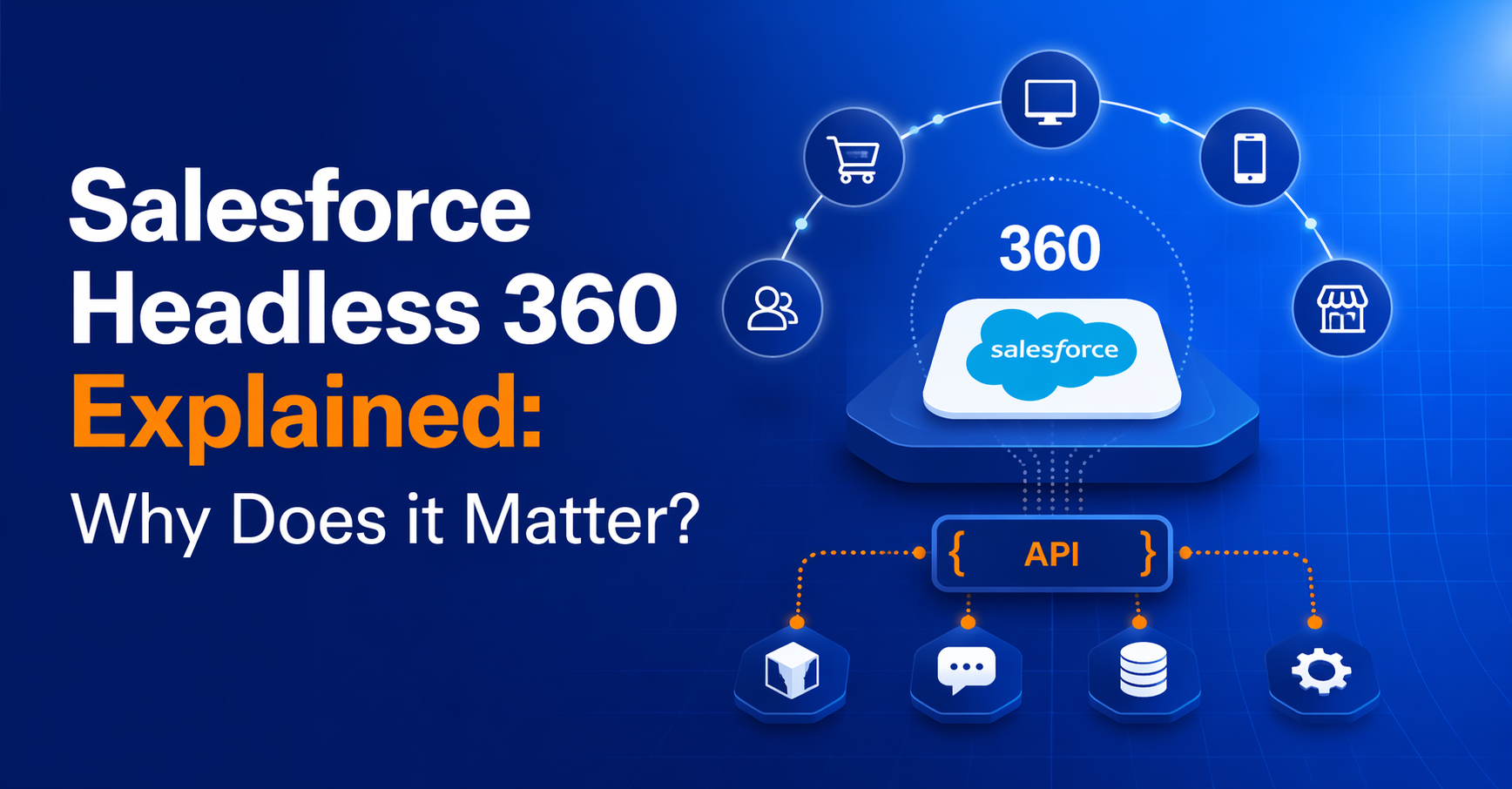
Salesforce Headless 360 is an architectural approach that decouples Salesforce's Customer 360 backend (data, business logic, AI, and workflows) from its traditional front-end presentation layers.
Instead of relying on Salesforce-rendered UIs like Lightning, Experience Cloud, or the standard Commerce Cloud storefront, teams expose Salesforce capabilities through APIs and consume them in any custom front-end: a React web app, a native mobile app, a kiosk, a voice assistant, or an AI agent.
In a headless 360 model, Salesforce becomes the system of record and the intelligence layer, while the presentation layer is built and controlled independently by the brand. This gives teams full design freedom, faster iteration cycles, and the ability to deliver a consistent customer experience across every channel without being locked into Salesforce's rendering stack.
It comes with 4 primary layers:
- System of Content: It involves Salesforce’s Data 360 product that includes customers’ trusted business data, unified, real-time, and ready for agents to act on.
- System of Work: This layer is built on Salesforce’s Customer 360, which has decades worth of business logic and workflows across sales, service, and every other function, now ready to be used by agents.
- System of Agency: It involves Agentforce, where users can build, deploy, and manage AI agents across different channels and list them on AgentExchange.
- System of Engagement: This layer is the communication medium where humans can interact with agents to do different tasks and get work done.
To make this possible, they have shipped:
- 60+ MCP tools: Covering CRM, Data Cloud, Flow, and platform operations, callable directly by AI agents.
- 30+ preconfigured coding skills: Reusable building blocks that agents can compose into multi-step workflows.
- Full CLI coverage: Scriptable access to platform operations for CI/CD and automation.
- Native IDE integrations: Anthropic Claude Code and Anysphere Cursor can now operate Salesforce natively from the editor.
- Agentforce Vibes 2.0: A companion release that extends Salesforce's agent runtime and developer experience.
Why did Salesforce make the switch to headless?
Salesforce made the switch because enterprise software buyers now expect AI agents to execute workflows, not just assist humans. When agents are the primary users, a UI-first platform is a bottleneck. Headless 360 removes the bottleneck by making every capability directly callable. The forcing functions behind the switch are the same ones that every other SaaS is about to feel.
Four forces pushed Salesforce here:
- The agentic shift: Humans are no longer the only users of enterprise software. Gartner projects that by 2028, 33% of enterprise applications will include agentic AI, up from under 1% in 2024. When a third of your users are software agents, UI-first design stops working.
- Developer experience: Modern developers live in IDEs like Claude Code and Cursor. If your platform cannot be driven from the IDE, you lose the developer. Losing the developer is a leading indicator of losing the platform.
- Competitive pressure: ServiceNow, SAP, HubSpot, and Workday are all announcing agent-first roadmaps. If Salesforce stayed UI-first, it risked becoming the last clicks-only platform in the enterprise stack.
- Platform economics: APIs and MCP tools are the new distribution channel. Every tool an agent can discover and call is a new surface for monetization, defense, and ecosystem growth.
The takeaway for other SaaS vendors is stark. Salesforce is the UI-first incumbent. If they are going headless, the rest of the category has no choice.
The common pitfalls when other SaaS try to copy this
The most common pitfalls come from treating headless as an API problem instead of a platform problem. Teams underestimate the governance, agent identity, and ecosystem work that actually separates a demo from a production headless platform.
- Shipping MCP as a feature, not a platform: A handful of MCP tools does not equal a headless platform. Without a catalog, versioning, and discovery, you end up with a demo that does not scale.
- Hand-rolling the MCP layer: Engineering teams often underestimate how much work goes into a production MCP gateway. Auth, rate limits, tracing, cost controls, and agent identity are each their own subsystem.
- Treating agents as service accounts: A shared token for all agents blurs audit and makes policy impossible. Security will block production rollout.
- Ignoring IDE distribution: If your platform is not discoverable from Claude Code or Cursor, developers will reach for a competitor that is.
- Designing only for your own agent: Salesforce built Agentforce, then went headless so other agents could use the platform too. Building an in-platform agent without opening the surface repeats the UI-first mistake in a new wrapper.
- Underinvesting in observability: You cannot operate at agent scale without per-agent tracing, cost tracking, and anomaly detection. The moment a customer's agent loops, you need to see it before they do.
What other SaaS companies need to make the same pivot?
Before we dive into how other organizations can go headless, let’s understand the architecture of Salesforce headless 360 and the different layers that come into play to make it work.
Salesforce Headless 360 architecture

Layer 1: Experience
This is where humans meet agents. Slack, Teams, WhatsApp, voice, ChatGPT, and custom UIs all sit here. Slack is the privileged surface because Salesforce owns it. The rest are external, reached through standard protocols.
The strategic shift is simple. Users don't come to Salesforce anymore. Salesforce comes to them, inside the tools they already live in.
Layer 2: Orchestration
This is the layer that decides which agent does what, and it splits cleanly in two.
- External agents: Claude, Cursor, Codex, Windsurf, ChatGPT, Gemini. They connect in through API, MCP, CLI, or Agent Script. They can reason freely, but every action they take runs on Salesforce's rails.
- Agentforce: Salesforce's native orchestrator. It runs in-platform with direct execution rights, which means tighter governance, lower latency, and deeper context.
The split matters. Salesforce is opening the door to any agent in the market while keeping the native path faster and better governed. Open enough to capture the ecosystem, privileged enough to keep the best experience native.
Layer 3: Execution (the moat)
This is the layer most people underrate, and it's the real answer to "why Salesforce instead of a raw LLM."
Four things live here:
- Workflows: Approvals, edge cases, and branching logic that took decades to encode.
- Business logic: The Customer 360 apps across sales, service, marketing, and commerce.
- Governance: Guardrails and full audit trails for every agent action.
- Agent Script: An open-source DSL that lets builders define agent behavior in a portable, inspectable way.
An LLM can draft an email or summarize a ticket. It cannot run a multi-step approval with the right audit trail, the right handoffs, and the right compliance posture. That gap is the moat.
Layer 4: Data 360
The foundation. Salesforce data sits at the center: CRM, Service, Marketing, Commerce, and Slack. Everything else federates in zero-copy through Data 360: Snowflake, Databricks, Workday, SAP, Oracle, ServiceNow, Box, Atlassian, Asana, and SQL databases.
No ETL. No duplicated copies. No stale snapshots. Agents query a single governed view of the business, regardless of which system the data physically lives in.
How DigitalAPI helps you go headless in weeks, not quarters
Salesforce's four-layer stack is a useful mental model, but it assumes your API estate is already clean, unified, and agent-ready. For most enterprises, it isn't. APIs are scattered across Apigee, Kong, AWS, Azure, MuleSoft, and half a dozen internal gateways. Business logic is locked behind inconsistent contracts. Governance is a spreadsheet.
DigitalAPI is the layer that makes the rest of the stack actually work, without a rip-and-replace. Here's how it maps onto every layer of the headless architecture.
1. Experience layer:
DigitalAPI's role: neutral, stays out of this layer.
This is where end users (humans or agents) connect in, Slack, Teams, Voice, ChatGPT, and custom UIs. Digital API doesn't try to own this surface. Your customers' agents, partners, and internal tools all sit here, and Digital API's job is to make sure they can all reach the stack underneath.
What Digital API provides: the connection points (API endpoints, MCP tools) that all these experiences call into.
2. Orchestration
Digital API's role: This is where the Agent Builder lives
Salesforce splits this into "External agents" (Claude, Cursor, etc.) and "Agentforce" (their own native orchestration). For HubSpot or any SaaS using DigitalAPI, the parallel is:
- External agents (Claude, Cursor, ChatGPT) call in through Digital API's Agent Registry, which handles auth, scoping, and audit for anyone calling in from outside
- Native orchestration is what your Agent Builder enables; your customers build their own agents on top of HubSpot using your APIs and MCPs, no code required
So Digital API covers both sides of this layer: inbound (external agents) via Agent Registry, and native (customer-built agents) via Agent Builder.
3. Execution layer (the moat)
Digital API's role: This is the core. API Portal + MCP exposure + Governance all live here.
Salesforce shows four components: Workflows, Business logic, Governance, and Agent Script. Digital API maps directly:
- Workflows: Exposed as MCP tools via Digital API's platform. Your HubSpot workflows become callable as MCPs.
- Business logic: Surfaced as APIs in the API Portal. Every capability in your product is discoverable and documented.
- Governance: Digital API's Sandbox & Governance layer. Guardrails, rate limits, audit logs, RBAC.
- Agent Script (Salesforce's DSL): Not a direct Digital API product, but Digital API is protocol-agnostic. MCP, OpenAPI, and GraphQL are all supported.
This is why Salesforce calls it "the moat." It's also where Digital API delivers the most value; it's the hardest layer to build internally, and what takes teams 12+ months without a platform.
4. Data 360 (governed context)
Digital API's role: Neutral. Doesn't own data, routes access to it.
This layer is your system of record (CRM, databases) plus federated data from Snowflake, SAP, Workday, etc. Digital API doesn't replace your data, it sits above it, governing which APIs can read or write what. Snowflake and friends stay where they are; DigitalAPI ensures agents can reach them through a governed path.
We're the execution layer + orchestration layer, productized. You keep your data and your experience surfaces.
The result: a full headless, agent-ready stack that covers every layer of the Salesforce architecture, running on what you already own, in weeks instead of quarters.
FAQs
1. What is Salesforce Headless 360?
Salesforce Headless 360 is an API-first, agent-ready version of the Salesforce platform that exposes CRM, Data Cloud, and workflow capabilities as APIs, Model Context Protocol (MCP) tools, and CLI commands. It lets AI agents and developer tools operate Salesforce without using the Lightning UI. Announced at TDX 2026, it ships with 60+ MCP tools and 30+ preconfigured coding skills.
2. Why did Salesforce go headless?
Salesforce went headless because AI agents are becoming the primary users of enterprise software, developers are moving into IDE-based workflows, and competing SaaS platforms are shipping agent-first roadmaps. A UI-first platform cannot serve agent workloads at scale. Headless 360 turns every capability into a directly callable surface, which is the new baseline for enterprise platforms.
3. How can other SaaS companies ship a Headless 360 equivalent?
Other SaaS companies ship a Headless 360 equivalent by exposing their APIs as MCP tools, adding an agent identity model, building agent-aware rate limits, integrating with IDE-based agent runtimes like Claude Code and Cursor, and shipping a CLI or automation layer. Most vendors accelerate this by adopting an MCP gateway and API management platform instead of building the governance layer in-house.
4. What is the Model Context Protocol (MCP) for SaaS vendors?
The Model Context Protocol (MCP) is an open standard for exposing tools to AI agents in a discoverable, self-describing way. For SaaS vendors, MCP is the interface that makes your platform legible to LLMs and agent runtimes without custom integration work. Shipping a native MCP catalog is the single biggest lever for going headless credibly.
5. How long does it take to make a SaaS platform agent-ready?
Timelines vary widely. Teams building every layer in-house typically need two to three quarters and a dedicated platform engineering team. Teams that adopt an external MCP gateway and API management platform for the commoditized layers can reach a production-quality headless release in 8 to 12 weeks, focusing internal engineering on their domain logic and MCP tool design.
6. What happens to SaaS vendors who wait for headless?
SaaS vendors who wait face compounding disadvantages. Buyers increasingly include agent-readiness in procurement criteria. Developers choose platforms that are callable from their IDE. Ecosystem partners integrate with headless platforms first. By 2027, headless will be baseline, and late movers will be competing against a cohort that is already native.
The bottom line: headless is the new default for SaaS
Salesforce Headless 360 is not just a product release. It is a public admission that UI-first SaaS is no longer the primary way enterprise software gets used. When the largest CRM on the planet rebuilds itself as APIs, MCP tools, and CLI commands for AI agents, every other SaaS vendor is on notice.
For SaaS product and platform leaders, the strategic question is no longer whether to go headless. It is how fast and with which layers are built in-house. The commoditized parts (gateway, policy, agent identity, observability) are better bought. The parts that make your product distinct (your domain model, your MCP tool design, your skills catalog) are what your engineering team should be spending on.
See how DigitalAPI helps SaaS platforms ship their own Headless 360 in weeks. Request a demo.

.svg)

.avif)
